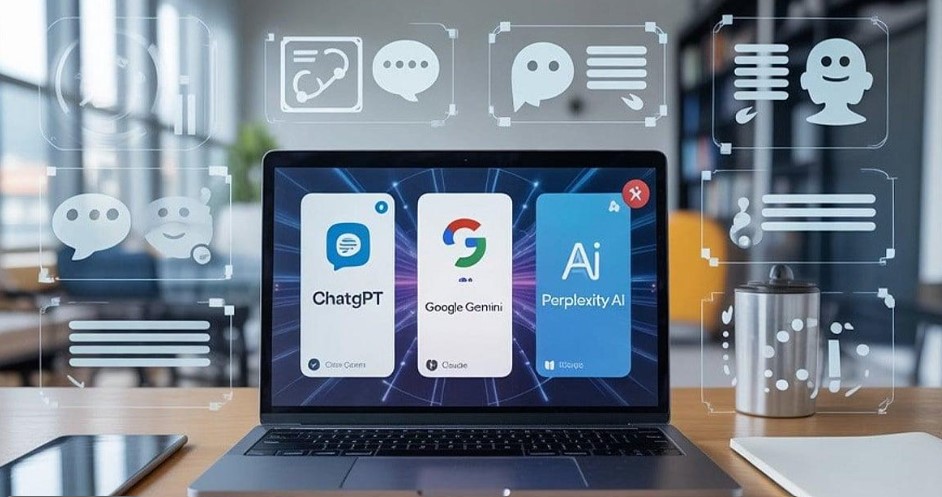
Artificial Intelligence (AI) is changing how people work, study, create content and manage everyday tasks. Today, you don’t need advanced technical knowledge or expensive software to start using AI.
Many AI platforms offer free plans that help users write articles, generate ideas, create images, summarize documents, improve grammar and even write computer code.
Whether you are a student, blogger, business owner, freelancer or working professional, AI tools can help you save time and improve productivity.
In this guide, we explore 15 useful AI tools in 2026, their features, practical uses and official websites.
What Are AI Tools?
AI tools are software applications that use artificial intelligence to perform tasks that normally require human input.
These tools can understand questions, generate text, analyze information, create images, translate languages and assist with programming.
For example, you can use an AI writing assistant to prepare an article, an AI image generator to create a blog thumbnail, or an AI research tool to find information from online sources.
15 Best Free AI Tools in 2026
1. ChatGPT – Best AI Assistant for Everyday Tasks
ChatGPT is an AI assistant that can help with writing, learning, brainstorming, research and programming.
Main features:
- Generate articles and blog ideas.
- Explain difficult topics.
- Help with emails and business messages.
- Assist with programming.
- Summarize documents.
- Answer everyday questions.
2. Google Gemini – Best AI Tool for Google Users
Google Gemini is an AI assistant developed by Google. It can help users generate content, understand information, summarize material and work with different types of input.
Main features:
- Generate written content.
- Explain technical subjects.
- Help with research.
- Summarize information.
- Assist with creative ideas.
- Work with supported Google services.
3. Claude – Best for Writing and Long Documents
Claude is an AI assistant developed by Anthropic. It is useful for writing, editing, understanding documents and analyzing information.
Main features:
- Draft articles and reports.
- Improve writing quality.
- Summarize long documents.
- Explain complicated information.
- Assist with coding tasks.
4. Microsoft Copilot – Best for Microsoft Users
Microsoft Copilot is an AI assistant that helps users with everyday questions, writing, research and productivity.
Main features:
- Answer questions.
- Generate content.
- Brainstorm ideas.
- Assist with productivity tasks.
- Support creative work.
5. Perplexity AI – Best for Online Research
Perplexity is an AI-powered answer engine that helps users research topics and discover information from online sources.
Main features:
- Research questions.
- Find relevant sources.
- Summarize web information.
- Explore related topics.
- Support fact-checking.
6. Canva – Best for Graphic Design
Canva is a popular online design platform that provides templates and AI-assisted creative features.
Main features:
- Create blog featured images.
- Design social media posts.
- Prepare presentations.
- Create posters and banners.
- Edit graphics.
7. Grammarly – Best for Grammar Checking
Grammarly helps improve grammar, spelling, clarity and writing style.
Main features:
- Check spelling mistakes.
- Correct grammar.
- Improve sentence clarity.
- Suggest alternative wording.
- Improve professional communication.
8. QuillBot – Best for Paraphrasing
QuillBot is a writing assistant that helps users rewrite and summarize text.
Main features:
- Paraphrase sentences.
- Summarize documents.
- Improve sentence structure.
- Check grammar.
- Assist with citations.
9. Google NotebookLM – Best for Document Research
NotebookLM is an AI research assistant that helps users understand and explore their own documents and sources.
Main features:
- Summarize uploaded sources.
- Ask questions about documents.
- Organize research.
- Generate study materials.
- Explore source-based information.
- GitHub Copilot – Best for Coding Assistance
GitHub Copilot is an AI coding assistant designed to help developers write and understand code.
Main features:
- Suggest code.
- Complete programming statements.
- Explain code.
- Help with debugging.
- Support development workflows.
11. DeepSeek – Best for AI Problem Solving
DeepSeek offers AI models and assistants that can help with questions, reasoning, coding and general productivity.
Main features:
- Answer questions.
- Help with programming.
- Explain technical concepts.
- Assist with problem-solving.
- Generate written content.
12. Adobe Firefly – Best for AI Image Creation
Adobe Firefly provides AI-powered creative tools for generating and editing visual content.
Main features:
- Generate images from text prompts.
- Edit visual content.
- Create design concepts.
- Explore creative variations.
- Assist with graphic design.
13. DeepL – Best for Translation
DeepL is a translation platform that helps users translate text and documents between supported languages.
Main features:
- Translate text.
- Translate supported documents.
- Improve translated sentences.
- Support multilingual communication.
14. ElevenLabs – Best for AI Voice Generation
ElevenLabs offers AI-powered voice generation and audio tools.
Main features:
- Convert text into speech.
- Generate AI voiceovers.
- Create audio content.
- Support multiple languages and voices.
15. Ollama – Best for Running AI Locally
Ollama is a platform that allows users to run supported AI models locally on their own computers.
Main features:
- Run compatible language models locally.
- Experiment with different models.
- Build local AI workflows.
- Use supported models without a hosted chatbot subscription.
Comparison of the 15 AI Tools
| AI Tool | Main Purpose | Free Access |
| ChatGPT | AI assistant | Yes, limited features |
| Gemini | AI assistant | Yes, with limits |
| Claude | Writing and analysis | Yes, with limits |
| Copilot | Productivity | Yes, with limits |
| Perplexity | Research | Yes, with limits |
| Canva | Graphic design | Yes, with limits |
| Grammarly | Grammar checking | Yes, with limits |
| QuillBot | Paraphrasing | Yes, with limits |
| NotebookLM | Document research | Yes, with limits |
| GitHub Copilot | Coding | Yes, with limits |
| DeepSeek | AI assistant | Yes, subject to limits |
| Adobe Firefly | Image generation | Limited free access |
| DeepL | Translation | Yes, with limits |
| ElevenLabs | AI voice | Limited free access |
| Ollama | Local AI models | Free software |
Free features, usage limits and availability can change. Check each provider’s official website before choosing a tool.
How to Choose the Right AI Tool
Choosing the right AI tool depends on what you want to accomplish.
Here are some simple recommendations:
- For writing and everyday questions: ChatGPT.
- For Google ecosystem integration: Gemini.
- For long-form writing: Claude.
- For online research: Perplexity.
- For graphic design: Canva.
- For grammar improvement: Grammarly.
- For coding assistance: GitHub Copilot.
- For document research: NotebookLM.
- For local AI experiments: Ollama.
You don’t need to use all 15 tools. Start with two or three that solve your everyday problems.
Benefits of Using AI Tools
AI tools provide several benefits:
- Save time: Automate repetitive tasks and prepare initial drafts faster.
- Improve productivity: Organize information and complete tasks more efficiently.
- Support learning: Understand difficult subjects through explanations and examples.
- Encourage creativity: Generate ideas for writing, design and content creation.
- Assist with coding: Help understand programming concepts and troubleshoot errors.
Are Free AI Tools Safe to Use?
AI tools can be useful, but users should take precautions.
- Avoid uploading confidential business documents.
- Never share passwords or banking information.
- Verify important facts and statistics.
- Read the platform’s privacy policy.
- Check usage rights before commercially using generated images or audio.
- Review AI-generated content before publishing it.
AI-generated answers can contain errors, so always verify important information.
Final Thoughts
Free AI tools have made artificial intelligence more accessible to everyone. From writing and research to image creation and programming, these platforms can help people work more efficiently.
Start with a few tools that match your needs, explore their features and understand their limitations.
Remember that AI should support your knowledge and creativity, not replace careful thinking and verification.
If you are new to artificial intelligence, try ChatGPT, Gemini and Canva first. They provide a practical starting point for exploring AI in everyday life.